

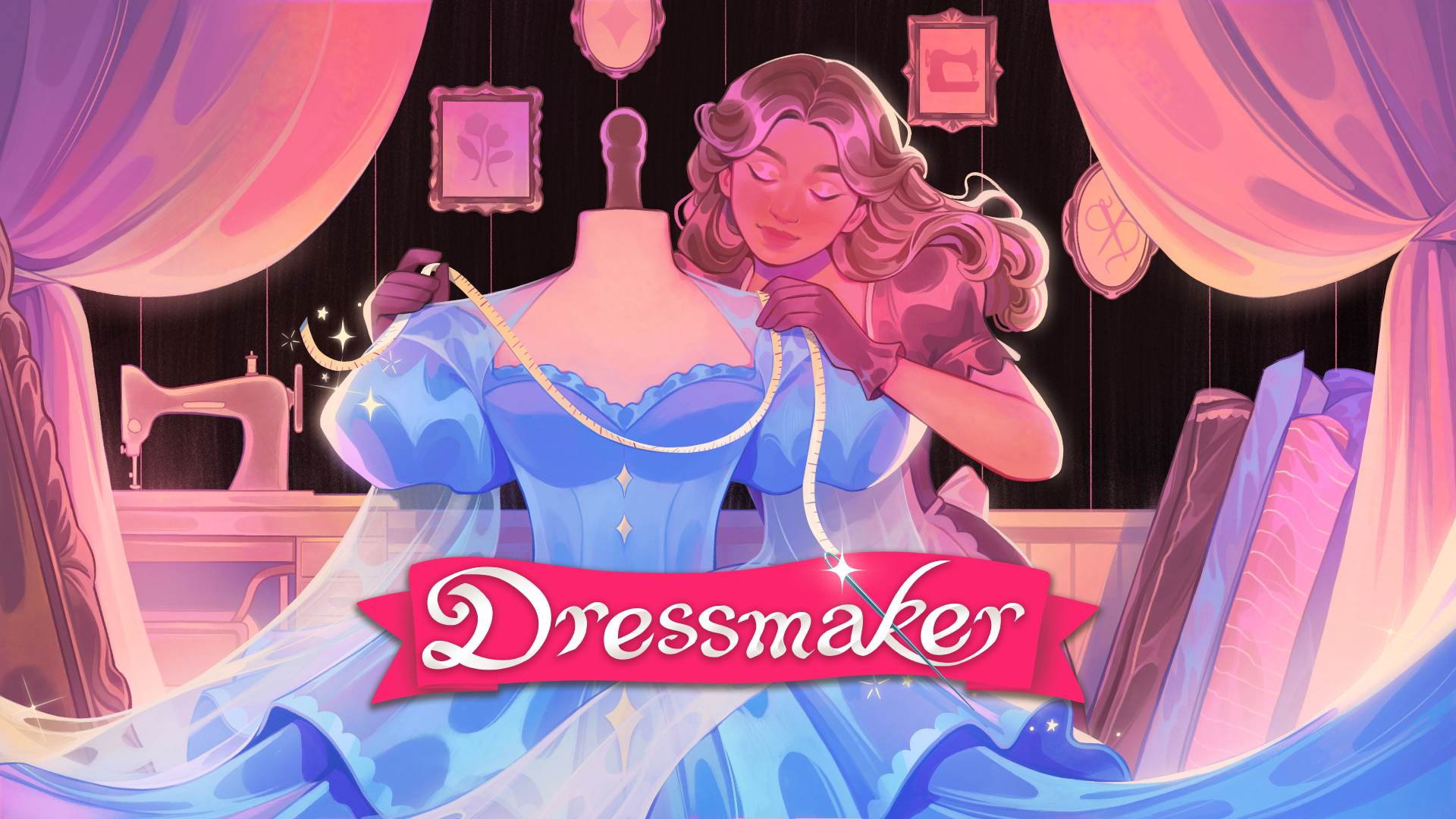
Dressmaker is a well-crafted medium-weight dress simulation that provides just the right balance of structure vs freedom.
I’ve always enjoyed fashion in games—either as the main focus or a fun little bonus. I’ve been playing Style Savvy for almost 20 years. I prefer Destiny 1 to Destiny 2 because you can play dress-up better. These, like most games I’ve encountered in the space, are styling based. Picking out pieces of an outfit and putting them together. Dressmaker, on the other hand, is a design game. You design the dress from concept to final product.
The achievement of Dressmaker is that it lets you dig into the minutia of actually designing a custom dress – receiving the order specs, taking measurements, drafting a pattern, cutting the fabric, sewing it all together, and placing any final accoutrements—in a way that is not too technical. We usually use the phrase “arcade style” to describe other genres, but I think that’s exactly what makes Dressmaker so good. It provides an arcade style approach to an extremely technical activity.
I also firmly believe Dressmaker is an excellent entry into the “cozy game” pantheon. Your shop is cute. Your cat is cute (and clickable). The music is nice. Most importantly, the stakes are low. You can rip the seams off a dress and restart without penalty. You can throw away fabric pieces and they’ll magically reappear on the bolt, ready to be cut again.
Accessories can be removed. The NPCs are fun, with just the right amount of depth. Doing badly on a commission has no permanent penalty. You get to explore your creativity with a selection of patterns, fabrics, and accessories that slowly, but consistently, increase. There are also some really robust accessibility features that take the pressure out of sewing—the game’s only real challenge of manual execution.
The critical path is based on completing commissions. You have a reasonably interesting cast of characters who will show up needing a dress for this or that. I found them mostly charming, but if you don’t like a particular character you can breeze through their dialogue with no penalty. They’ll tell you what they want and how much they’re willing to pay.
You can’t really decline a commission, though there are a few other things you can do instead of completing one right away. Progress just a little bit and you’ll unlock the ability to sell window dresses off-the-rack, design and gift a dress to a customer, or complete a side-mission style customer request.
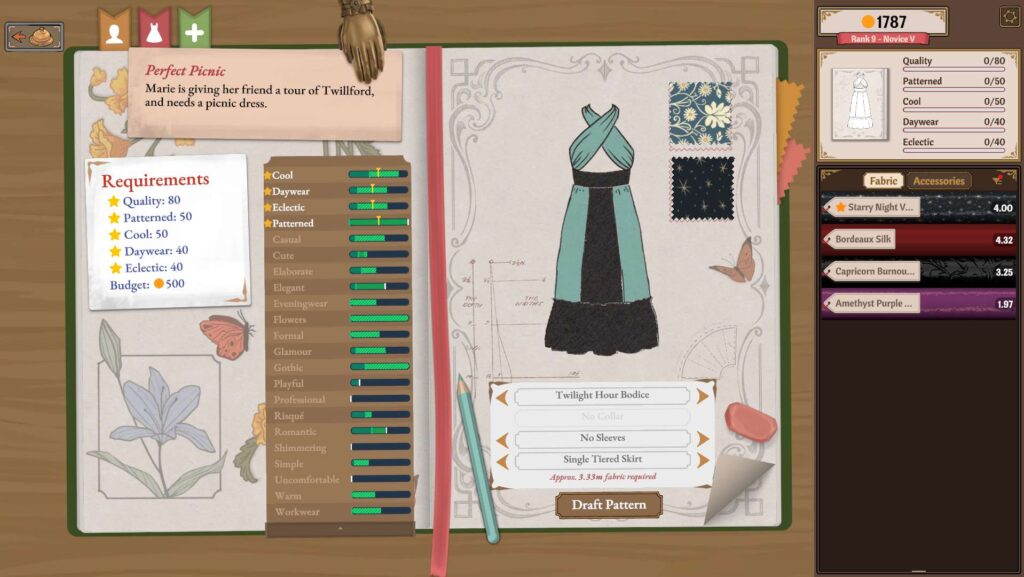
If you’re making an off-the-rack dress, you’re free to do it however you like. If you’re making one for a specific customer, you’ll need to broadly match their tastes if it’s a gift, or meet specific metrics if it’s for a commission. For commissions there will be a reminder of the style requirements and the necessary scores will be pinned to the top of the list. You’ll also be told if you need to use or avoid specific colors, fabrics, or accessories. The first step to making a dress is to draft the pattern. You’ll select the bodice, collar, sleeve, and skirt.
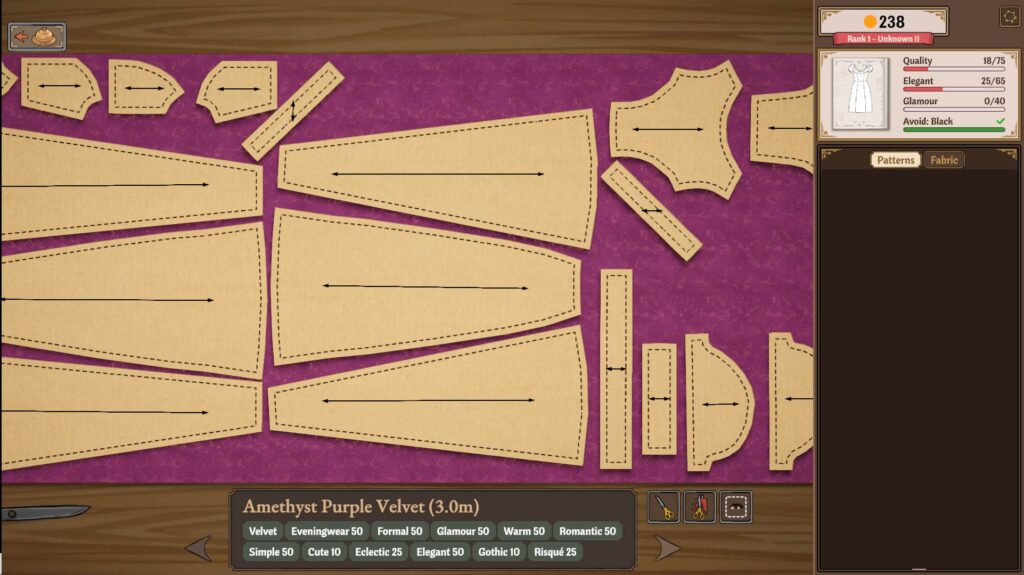
Each one has corresponding style scores that will help you meet your commission goal. The draft will estimate how much fabric you’ll need, so you can really pinch pennies by trying to use smaller designs if you’d like. Your fabrics have specific style scores as well. You can pin a swatch of any fabric you own to the draft to see how it fits in with the commission requirements. Pin one swatch and it will show you the score if you use just that fabric for the entire dress. Pin two swatches and the solid green line will become hatched – showing you the potential maximum and minimum based on the specific fabric balance you choose.
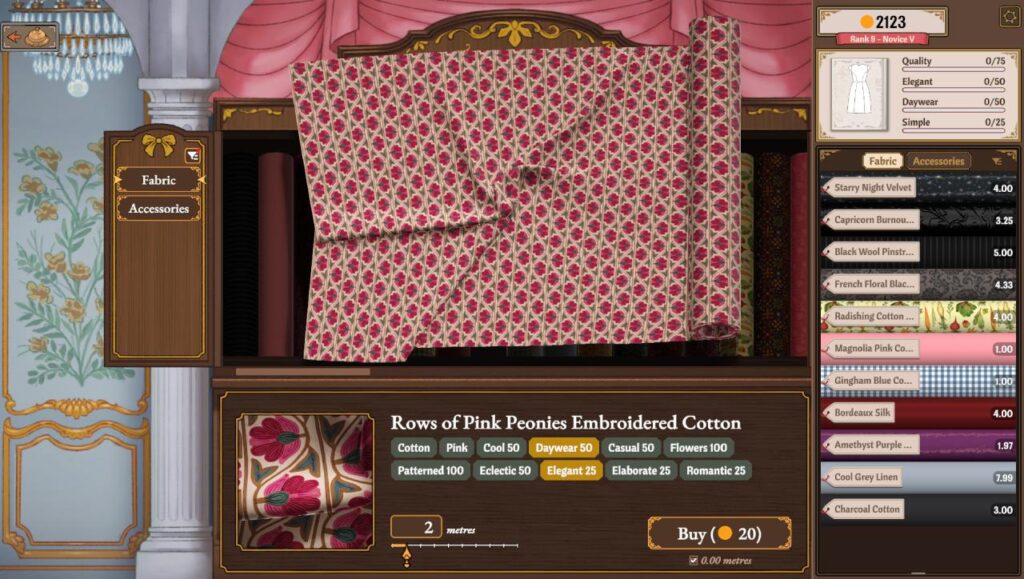
You can browse any of your owned fabrics or you can filter them based on specific styles or colors. Optionally, you can help yourself visualize the color balance by using the colored pencil on the drafting board to fill in the pattern itself. You click the pencil to select the closest color, then click the empty space on the dress in the same way you’d use Paint’s autofill tool.
Regardless of why you’re making the dress, you always want to try and make it high quality. This is done by cutting pieces of fabric with the grain and sewing carefully. Cutting fabric on grain is easy. You’re basically just arranging shapes to try and maximize how much you can cut from the fabric. The cut itself is done by clicking the scissors then clicking the pattern piece – no need to actually manually cut it.
It will save you a little money in the long run if you’re very careful with your placement, but you don’t need to be super precise if you find it annoying or unfulfilling. I liked trying to squeeze stuff in, but you’ll have more money for fabric than you need. Sewing is pretty easy as long as you don’t go too fast. You hold the spacebar to sew, swing the mouse or press A or D to rotate the fabric, and you can toggle the speed if you like. There’s visual guidelines so there’s no guesswork. There’s also a Sewing Assist option if you need or want it.
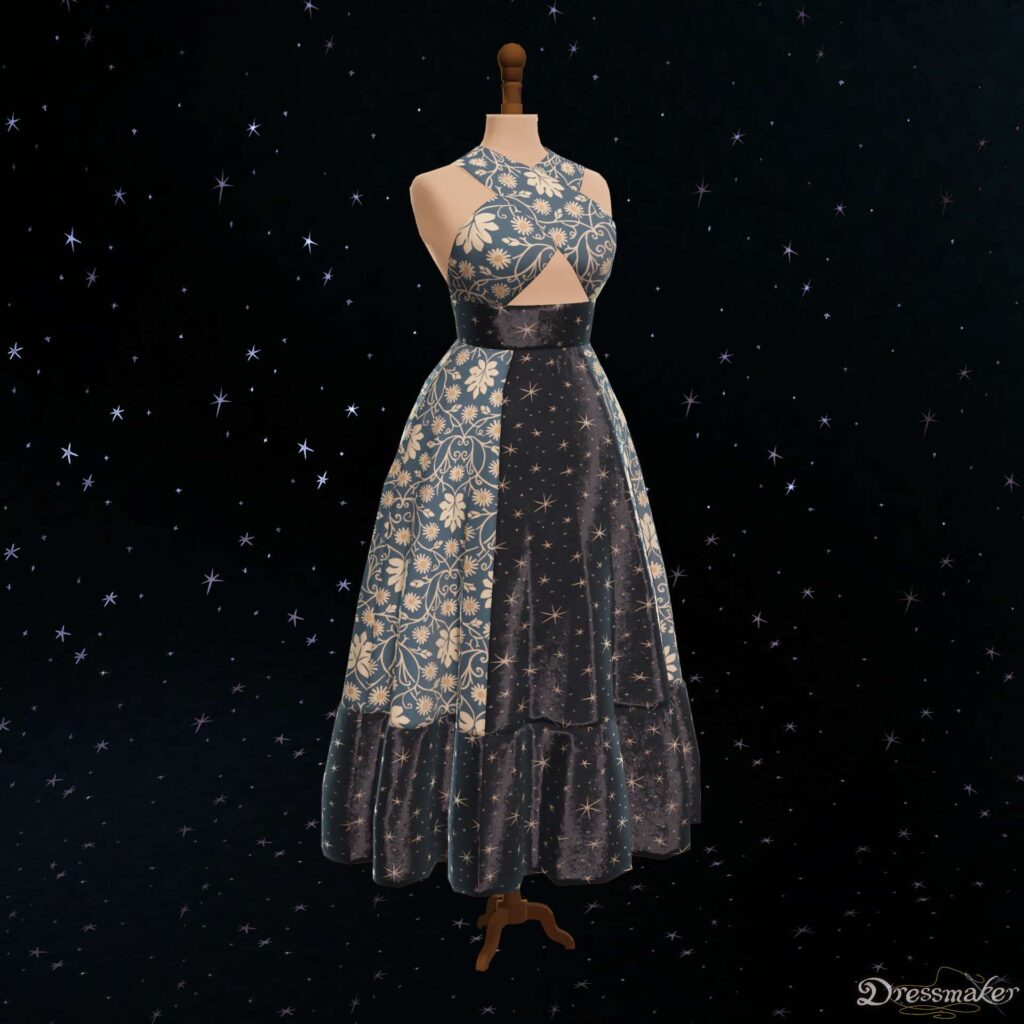
A straightforward dress is probably going to move from one step to the next until you sew it all together and, optionally, add accessories. But you can easily jump back and forth between steps to help on more complicated jobs. For the dress in the screenshots, I cut pieces from one fabric until I had just enough Eclectic points to meet my Dressmaker metrics. Then I jumped back and cut the rest out of the other fabric.
It helped me to do it that way because I knew if I messed up my ratio, it would be easier to redo just a little bit (instead of starting from scratch or throwing away more work). I personally always wait until the very end to add any accessories. Partly because I want to see how the dress came together and partly because I find it the most challenging.
Even with the Accessory Rotation Gizmo option turned on, I found it difficult to place a lot of accessories neatly. Trying to do lace evenly around a collar or cuff was by far the biggest challenge for me, though I did find it satisfying when I took my time and got it right.
Completing dresses for a specific customer will raise your affinity with them. Each new tier of friendship will grant you inspiration for new dress patterns. Improving your shop notoriety (commissions, side-jobs, and off-the-rack) will unlock new fabrics and accessories for purchase. The ability to filter by specific styles and colors makes it very easy to figure out what you might want to purchase for any given dress. You can see what you already own and quickly buy more of it by clicking on it in your inventory.
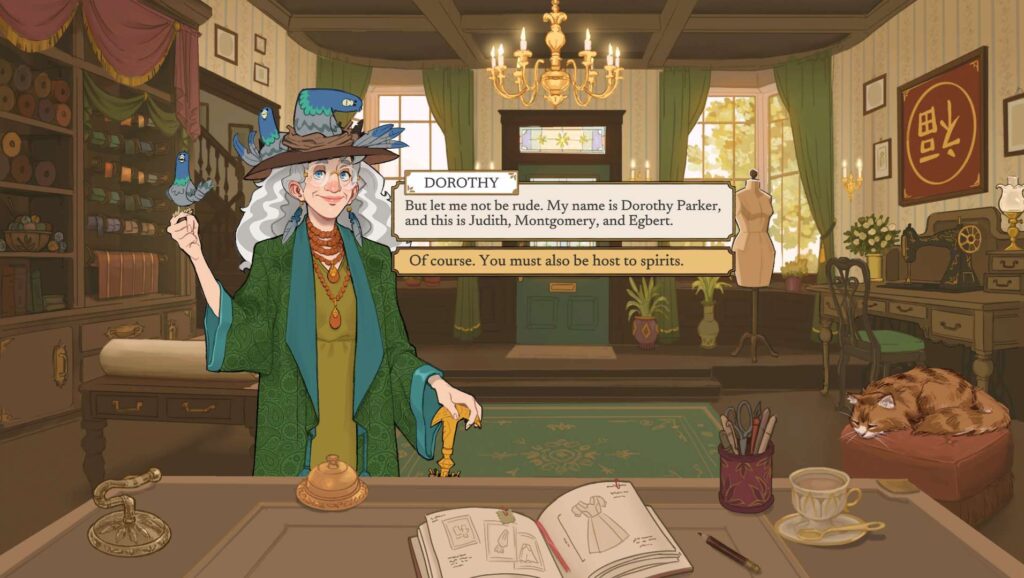
The way the bolts of fabric slide into view and thump into place is visually satisfying, as is the ruching effect when pulling one off the shelf. I also really enjoy the audio that goes with sewing. It’s so good it almost feels like haptic feedback. When you finish a dress, you get the opportunity to take an in-game photo which goes right to a folder on your computer as a watermarked screenshot. You have lots of options for background, lighting, and angle. You can make some really nice shots this way.
I will say that accessories kind of let you cheat a bit. The game can’t actually tell if your dress is ugly, so if you need a few extra points of this or that you can just slap a bunch of extra buttons, brooches, or lace on. I did it like the Homer Simpson clipping his fat meme—hiding all these “cheats” on the back of the dress so I could still get a good picture. I didn’t do this often, but it’s nice that you can. One of the biggest strengths of the game is how much flexibility you get.
Accessibility
Dressmaker offers two toggles to make gameplay less technical.
Sewing Assist is perhaps the single most well-designed accessibility feature I’ve ever encountered. Normally you have to manually rotate the fabric you’re sewing. There is a decent amount of leeway, but this does have a big impact on your Quality score.
With Sewing Assist, any time you release the space bar, it automatically swings the fabric to the correct position. This enables anyone with a hand mobility or flexibility issue to have the opportunity to make high-quality garments with comparative ease.
Turning on the Accessory Rotation Gizmo offers more visual guidance when placing accessories. It makes them a bit easier to line up and manipulate. It’s not as transformative as Sewing Assist, but the two together create a decent sort of make-shift casual difficulty.
There is no way to see tutorials a second time. I wish you could reread tutorial text or maybe see a very brief visual replay. It would also be helpful if you could mouse over different elements for a reminder of what they do. The UI is mostly good at this, but once in a while I was not fully sure what a specific button or tab might do.
Verdict
In Dressmaker, your output is only limited by your imagination and your patience. If you take a look at the video on the Steam store page, you’ll see dresses that look straight out of a fairy tale. And the way the game gradually introduces you to new concepts and products makes it feel very possible to do that yourself by the time you reach the end. It was so rewarding to shop for fun fabrics and see my vision come together on the mannequin. My only real complaint is that it would be nice to see your dresses on the characters, but overall this is a small issue that the photo mode and dress log mostly make up for.
If you have ever gotten joy from playing a fashion game, Dressmaker is worth checking out. At least for now, the prototype version is still available on itch.io. As long as that remains true, I feel comfortable saying it is a must try for fans of simulation, cozy games, or fashion games.
Reviewed on PC via Steam. Also available on Mac. A Switch version is in the works.
Review covers a pre-release version
A key was provided for this review
Developer: Cozy Lives
Publisher: Free Lives
Release date: Out now
Pros
- Sewing Assist is one of the best accessibility features I’ve ever seen
- Charming characters that are a bit more engaging than they need to be
- Recreates many of the more technical aspects of dressmaking in an approachable way
Cons
- Can’t exclude things in the store filters
- No way to see the dresses you make on the characters
- No ability to review tutorialization once the initial explanation is done
-
Amazing
